top of page
Event website (SSAT)
Web. As an employee with the Schools, Students and Teachers Network (SSAT), I built the conference website each year using WordPress. This was a working group of a team of designers, an event project team and the marketing team to manage the event.
In this project, I learnt how to work closely with designers, marketing and the project team to create a simple and easy to use website that looked great and is still a website I'm proud of to this day. The SSAT has rebuilt the website since, so this site is no longer available.
This content was created under employment with and belongs to the SSAT.
Project type
Web
Date
2017
Location
London, England
Role
Website Executive
PDF link
PDF link
PDF link

01
Event website (SSAT)
01
SSAT National Conference main page
This video was a screen capture from the lead up to the Conference. Some of the features, such as the count down, were only available in the lead up to the event.
02
Conference main page - video of a PDF
The main page introduces the theme of the conference, the keynote speakers and links to all sub-pages detailing the event – all factors intended to convert site visitors to paying attendees.
This is a video scrolling through a PDF of the original webpage we built in 2017.
This is a video scrolling through a PDF of the original webpage we built in 2017.
03
Conference speaker page - scroll through of PDF
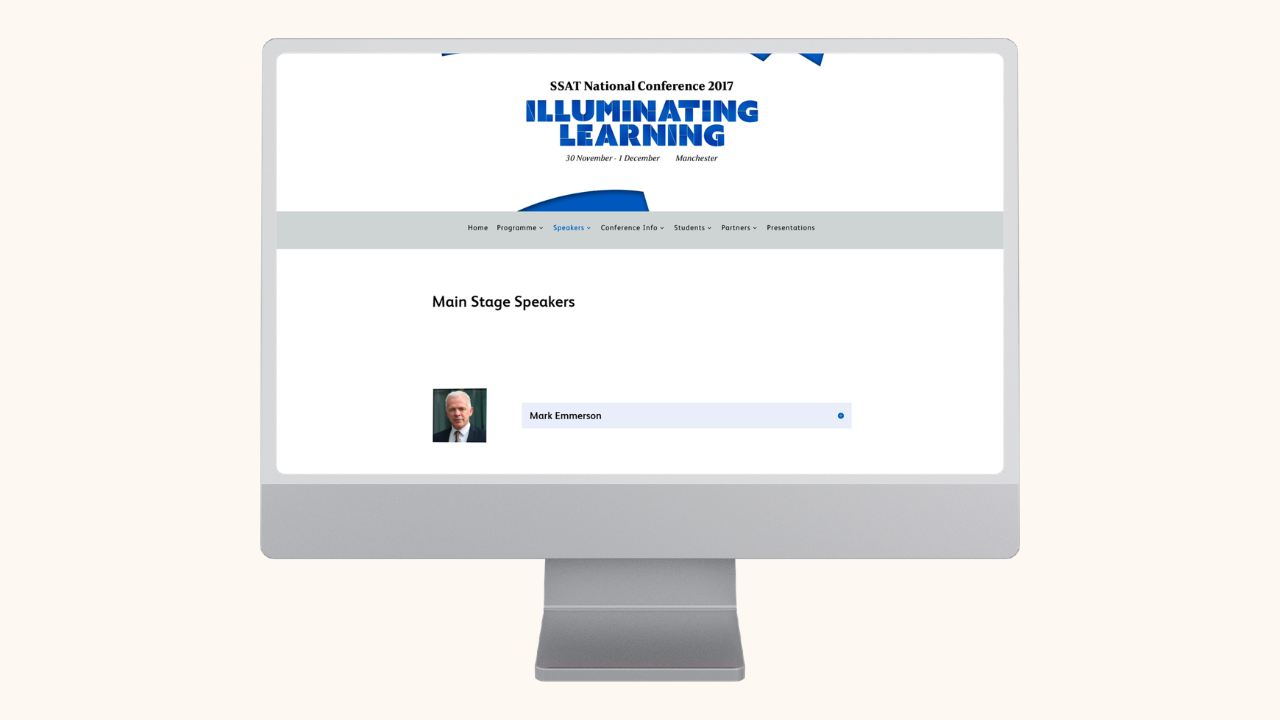
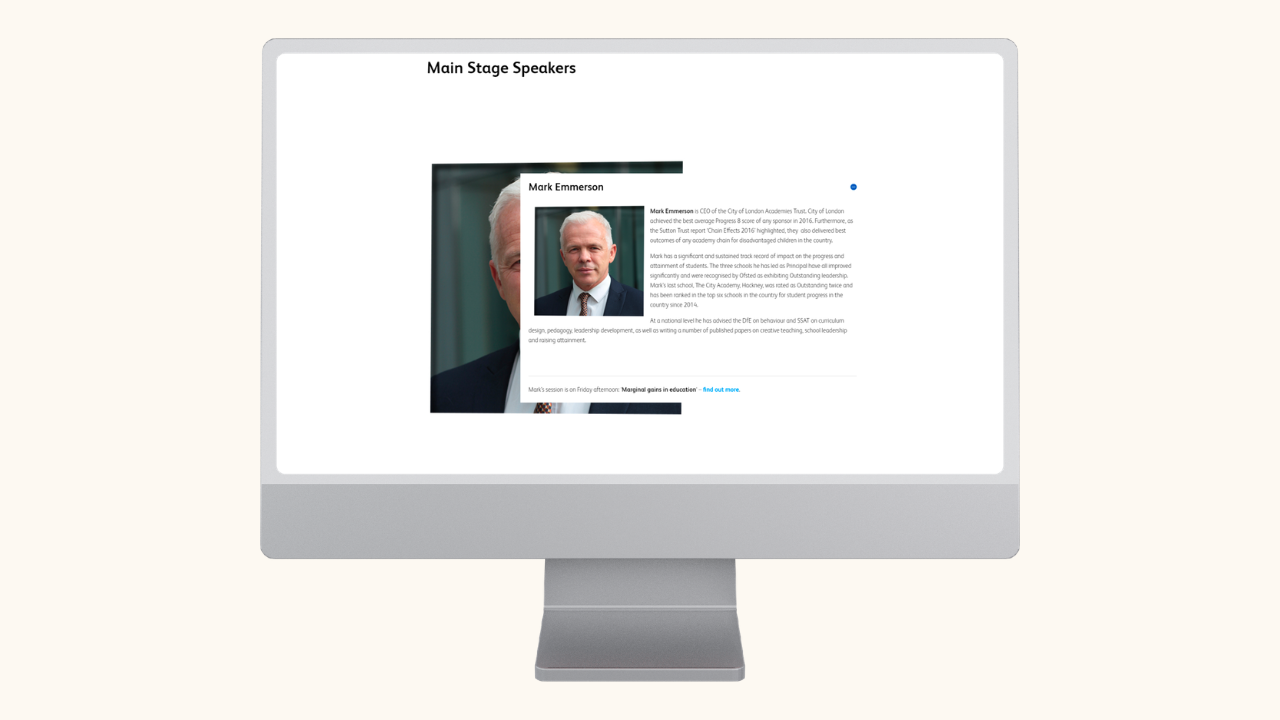
Speaker pages can be difficult to design with different ranging lengths of bios. I chose to use expandable widgets alongside the photos. But this created an interesting duplication of the image when the widget was expanded. We decided to keep the duplicated image, which required reformatting and code adjustments, but worked well in the end.
This is a video scrolling through a PDF of the original webpage.
This is a video scrolling through a PDF of the original webpage.
04
Conference programme page - scroll through of PDF
The programme page is a structured, minimal and interactive page. As this is a PDF I can't show the interactive elements. The top buttons were used to switch between days, the expandable widgets would expand to show detail for each session, and the branded colours used for the timings reflected different activities.

05
Speaker page - unexpanded bio

06
Speaker page - expanded bio
bottom of page